Skip to content
scout4all

Open source · Windows · macOS · Linux

Volleyball scouting at the speed of the game

scout4all is built to cut the time it takes to record events while scouting, with an interaction designed mainly for the keyboard, but usable with a mouse or other devices too. The data you collect let you check statistics and analyze performance, during and after the match.

What it does

Scouting

Minimizing errors

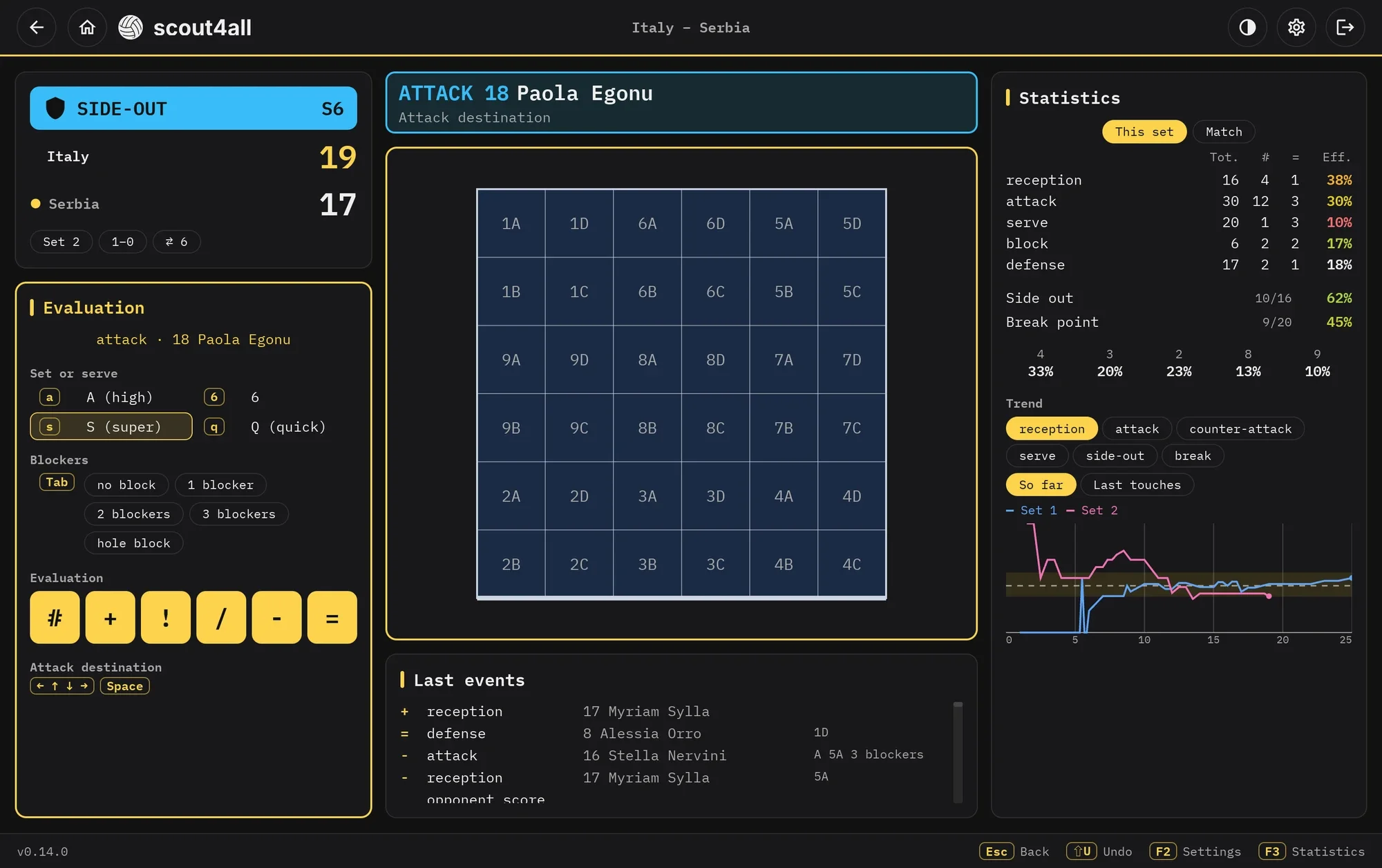
Select the event, the player and their evaluation. The rotation, the phase of play and the players on the court determine the options available; score and statistics are updated automatically.

  • Side-out and break phases, rotations and the libero handled automatically
  • Substitutions, libero changes and setter changes right while scouting
  • Set tempo and trajectory, block composition and destination of attacks and serves, when needed
  • Undo and correct any event of the set
The scouting screen: the court with the players, the attack being evaluated and the zone grid

Statistics

Match data and analysis

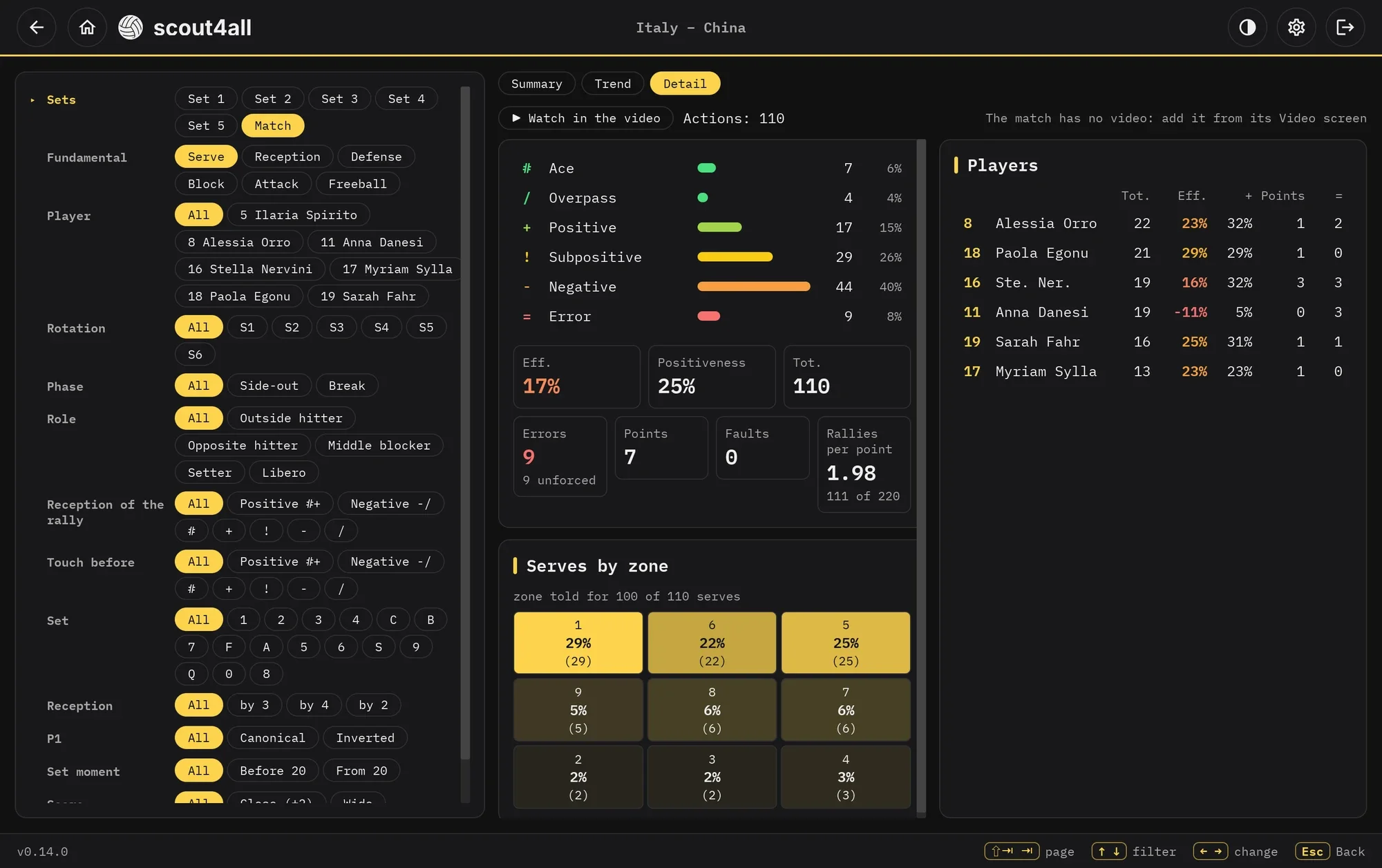
Statistics are updated while you scout and can be checked and analyzed afterwards too. Efficiency and positivity of the fundamentals, side-out and break point by rotation, setter distribution, unforced and forced errors.

  • Filters by set, player, rotation, phase, role and quality of the reception
  • Trends of rallies and sets
  • Distribution of serves, receptions and attacks by zone
The detail of the statistics of a match: the evaluations of the serve, the players and the serves by zone

Video

Scouting synced with the video

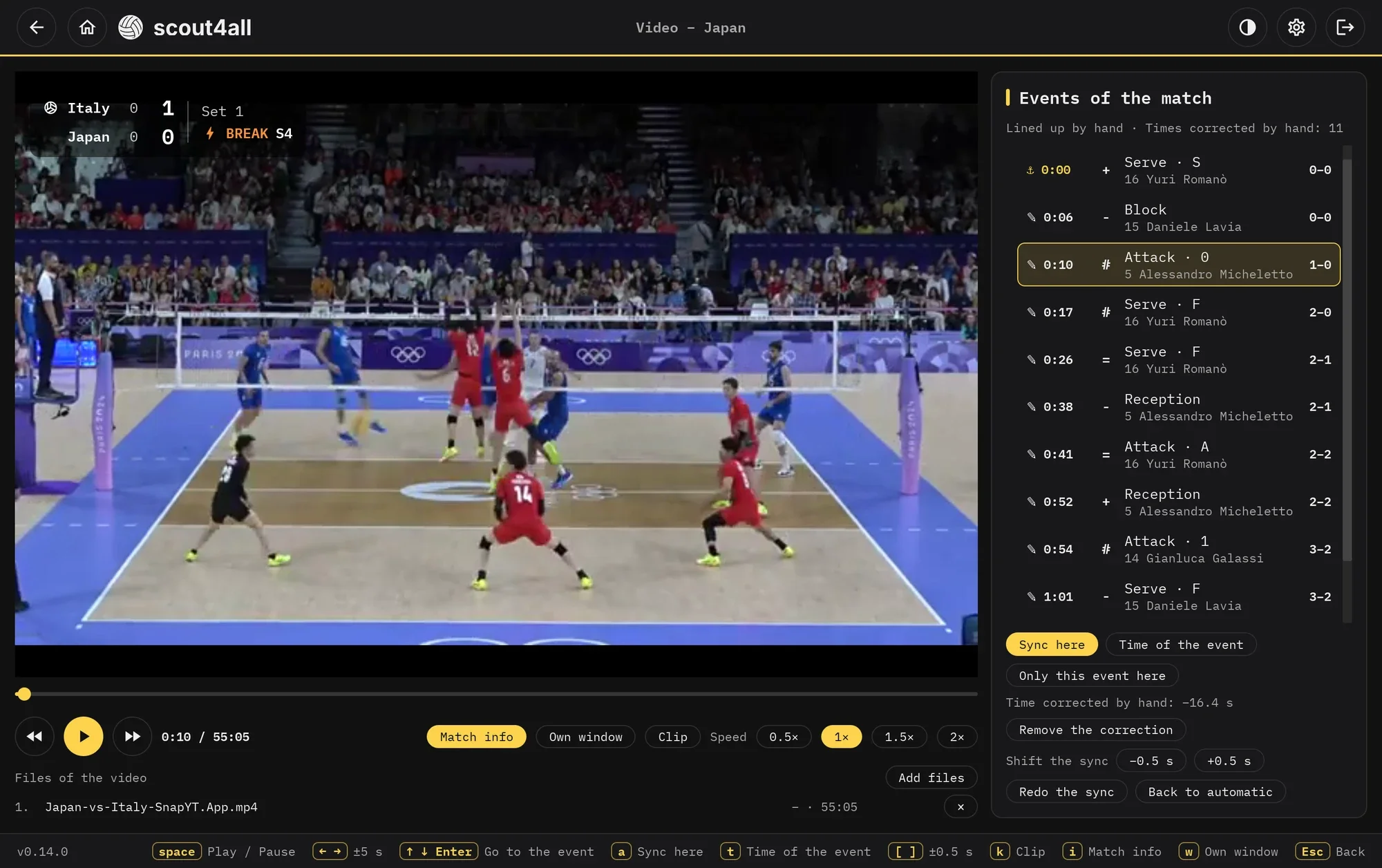
Link the match video to its scouting: tie one event to the right moment and all the others line up. As the video plays the events light up one by one and the score appears over the picture; select an event and the video jumps to that action.

  • Each event's time can be fine-tuned by hand, for a precise sync
  • The actions behind a statistic, one after another, across several matches too
  • An MP4 montage of the chosen actions, with the score overlaid, ready to share
The video screen: the match with the score overlaid and the scouted events beside it

Team analysis

Comparing several matches

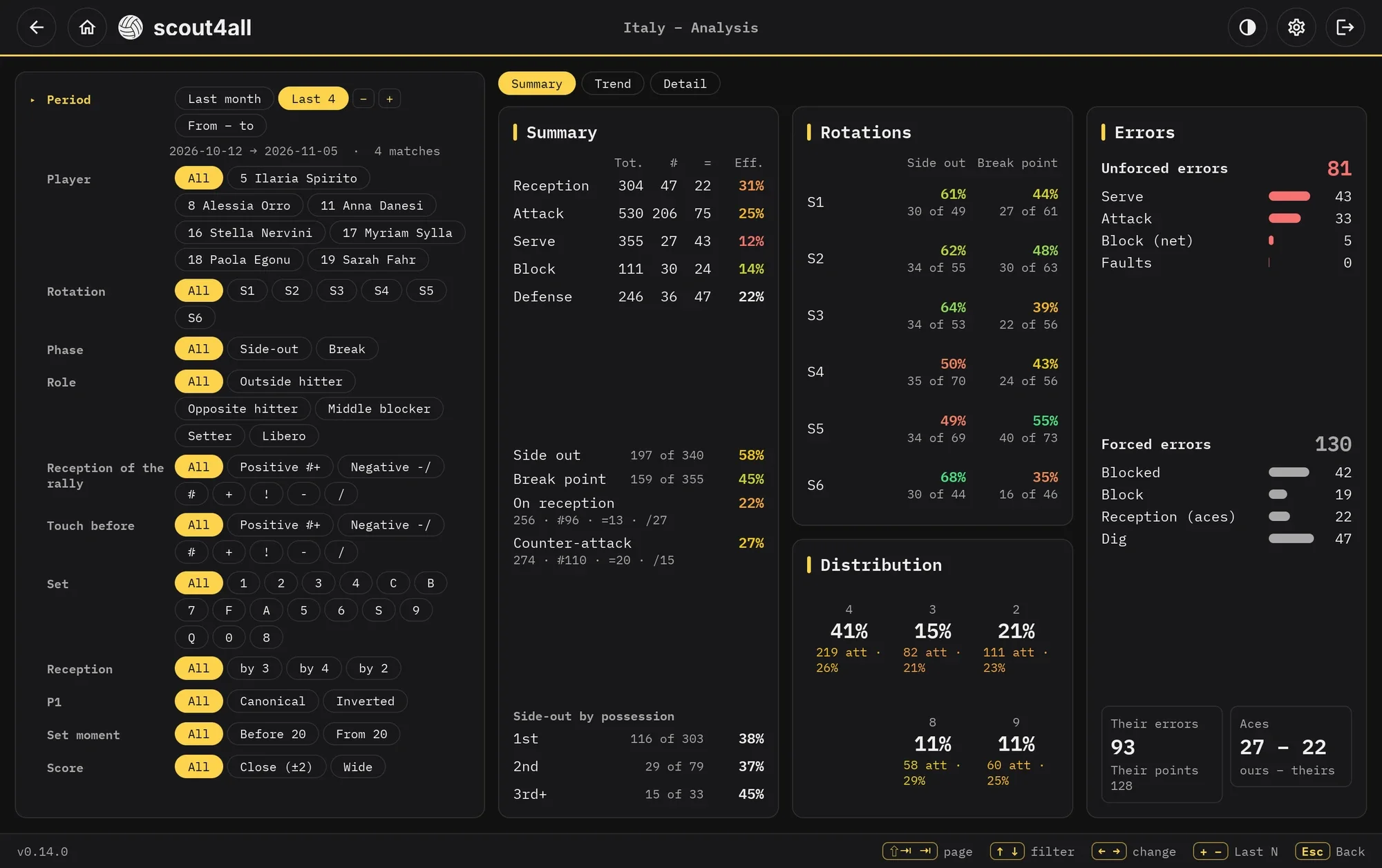
Select a group of matches or a time range to analyze how the team and each player are doing, comparing their performance over the season.

  • The same filters available for a single match
  • Match-by-match trends of the statistics, with a moving average
  • Matches scouted with scout4all and imported ones, shown together
The analysis of a team over its last matches: summary, rotations, distribution and errors

Teams and matches

Your data, on your device

Teams, players and matches are stored locally, on your device. You can export teams and matches to share them with others, import data received from colleagues and use the program without any internet connection.

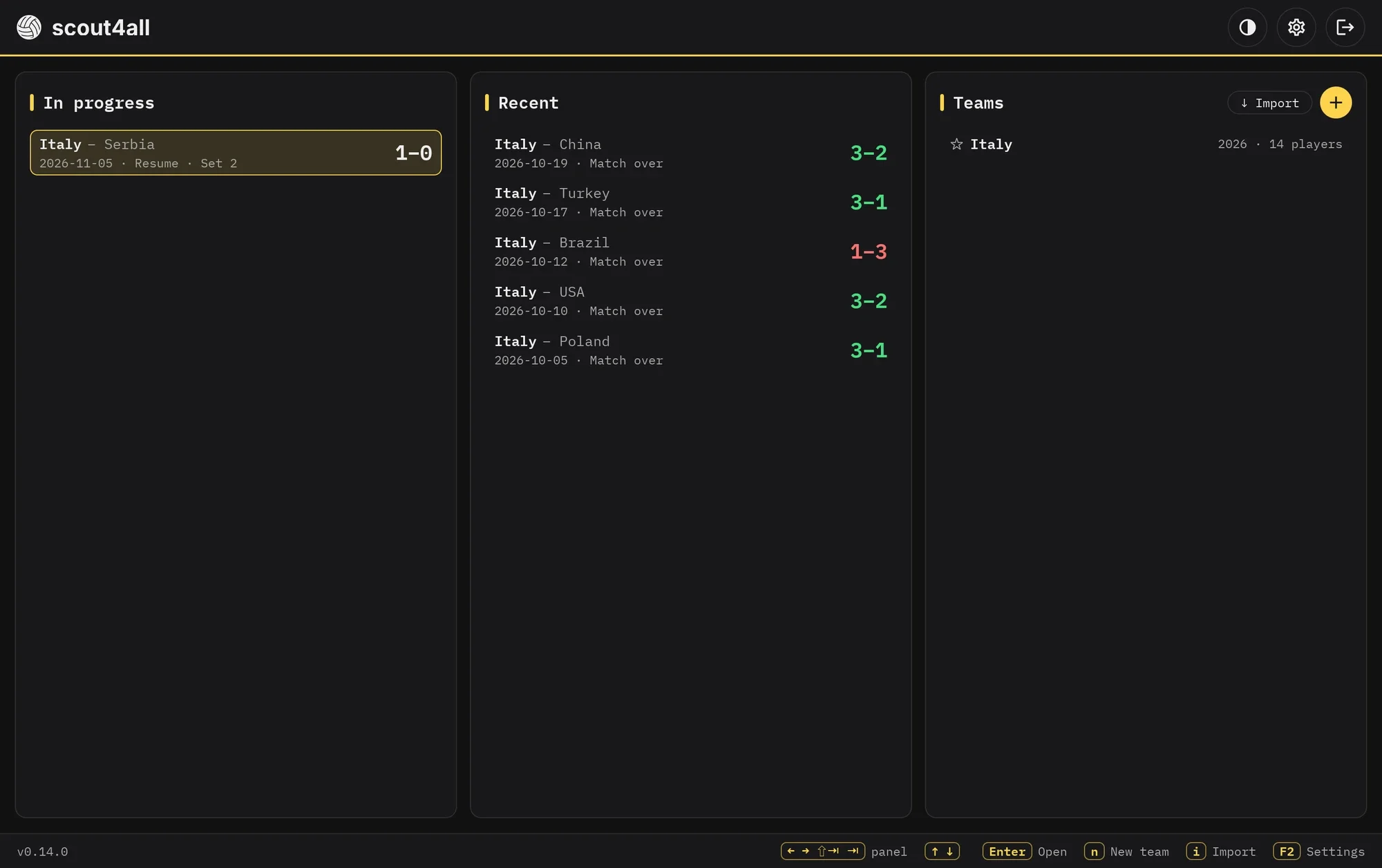
  • Matches in progress, recent matches and teams available from the home screen
  • Export and import of teams and matches
  • Offline use
The home screen: matches in progress, recent matches and teams

And also

Download

Other versions (for experts)

Frequently asked questions

Is the software free to use?
Yes. scout4all is completely free and open source (AGPL-3.0). Anyone can contribute to improving it, suggest features or report problems.
I was using the terminal version. What happens now?
Nothing to do: at the next start of the application, an update will be offered, and the update installs the desktop app in its place. Your teams and matches are in the same folder and you will find them all. From then on, starting scout4all opens a window instead of the terminal interface.
Am I required to use the keyboard?
Of course not! The advantage of using the keyboard is tied to productivity. A rally lasts a few seconds: with a key for each event, player and evaluation, your eyes stay on the court. Every key can be changed in the settings. The application naturally supports other input devices too (for example, the mouse).
Can I record the zones of play?
Yes. For serves, receptions, attacks, digs and blocks you can mark the zone of the court involved. For attacks you can also record the number of players at the block. This information is optional: you can leave it out and just evaluate the touch.
Are all player positions and attack zones customizable?
Not all of them: the app makes some consistent choices so as not to compromise productivity. The libero automatically replaces the middle blocker in the back row, except when the middle blocker is serving; it is still possible to undo this substitution. The attack zones follow from the roles and the position of the setter. You can declare an inverted P1 and a reception with two, three or four players.
How often is it updated? Do I need to install updates manually?
It is under active development and new versions come out regularly. You don't need to download them yourself: at every start the app checks for a new version and, after asking you, installs it and restarts.
The application no longer starts after an automatic update. What happened?
Up to version 0.4.2, the automatic update could replace the application with a data file published alongside each release (the software bill of materials) instead of the new version. This is fixed since version 0.4.3. To recover, download the latest version again from the downloads and replace the old file. Your teams and matches are stored separately and are not affected.